
Add individual pupils to an event which has already been created in your selected child activity module. This is useful if you have set fixtures for the year but have not yet put together teams.
- Groups must be linked to an event before pupils can be added.
- Only pupils linked to the groups listed for an event can be selected.
- See Add Pupils to a Subgroup if you are working in an event created for subgroups.
To add pupils to an event:
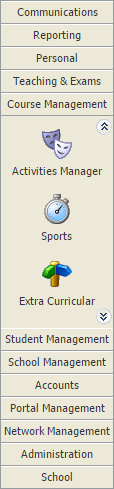
- Select a child activity module from the module bar:
- Select the Activity Overview tab and select an Event Overview option from the right hand menu:
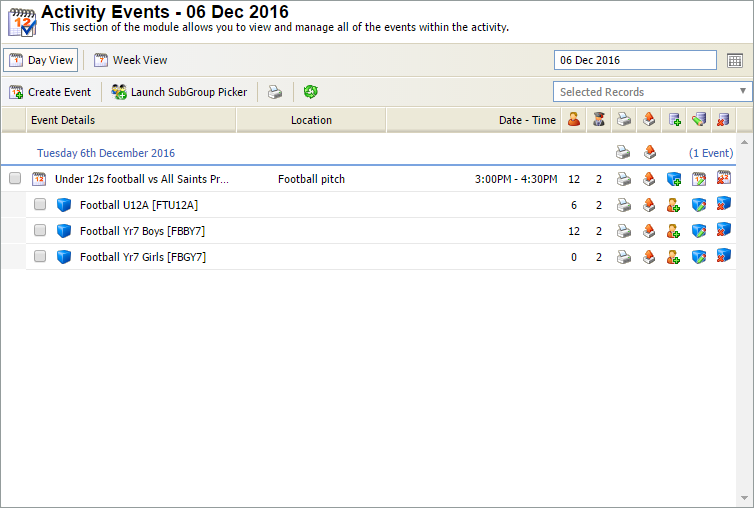
The Activity Events Today/Tomorrow/This Week/Next Week/This Month screen is displayed depending on your selection. All of these options work in the same way. - Use the filters in the header bar to display the dates that you want to work with:

Select either:- Day View.
- Week View.
or - Use the date picker on the right to select a specific date.
- Locate the event that you want to work with and click
 in your selected group.
The Pupil Selector window is displayed. Only pupils who are in the groups already added to the event are available for selection:
Use the filters available if a high number of pupils are listed (this reduces the volume of records shown):

Either:Select the pupil status, year group, form or house that you want to display. Hold Ctrl to make multiple selections.
or
Enter a term you want to search for in the Pupil, Year, Form or House fields. Click
 and select a query type to apply to the term. Ensure that you choose a query type which can be applied to the term you have entered. For example, use 'Equals' for text fields and 'Greater Than' for number fields.
Use the checkboxes next to each pupil name to select the pupils that you want to include in the event:

Click Add Selected. The selected pupils are displayed in the panel on the right of the window.
Click Close Window. The revised pupil count is displayed in the Activity Events screen. You may have to refresh the screen to display changes.
The list of pupils linked to the event can only be accessed via the Activity Events screen. No record of the event is kept in the Pupil View tab.