
Use the Activity Overview tab in your selected child activity module to review activity events. This provides a useful overview of events for a selected period. Events refers to matches and competitions between schools.
To review activity events:
- Select a child activity module from the module bar:
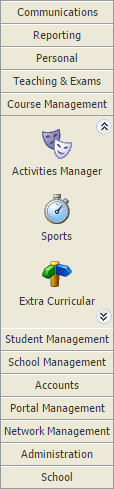
- Select the Activity Overview tab and select an Event Overview option from the right hand menu:

The Activity Events Today/Tomorrow/This Week/Next Week/This Month screen is displayed depending on your selection. All of these options work in the same way. - Use the filters in the header bar to display the dates that you want to work with:

Select either:- Day View.
- Week View.
or - Use the date picker on the right to select a specific date.
- Green = Win.
- Yellow = Draw.
- Red = Lose.
- Choose to update event details as required. See Event Overview for more information on the functions available.