
Use the Statement Bank function in the Reports module to set up and select commonly used comments for reports. This saves time repeatedly writing the same comments on each pupil's report. You can choose to personalise keywords, such as names, and share statements so that other users can access them.
To access the Statement Bank:
- Select the Reports module to open the Reports Home tab and select any report cycle:

The same statements are available across all report cycles. - Your own username is selected by default in the View as Other section but, depending on your user permissions, you can select another user.
A tab is displayed for each of the report types allocated to the selected report cycle:
Select a tab to work with. In this example we have selected the Subjects tab but the processes are similar for each of the report type tabs.
An example of the Subjects Reports screen is shown below; this is displayed when you select the Subjects tab:
- Click in the subject/group name in the Overview tab.
- If you are working with subjects, the Sets and Forms screen is displayed:

- Click on a set/form to display the Reports screen. All of the pupils in the selected set/form are listed:

- Click on a pupil's name to view the Report Writer window:
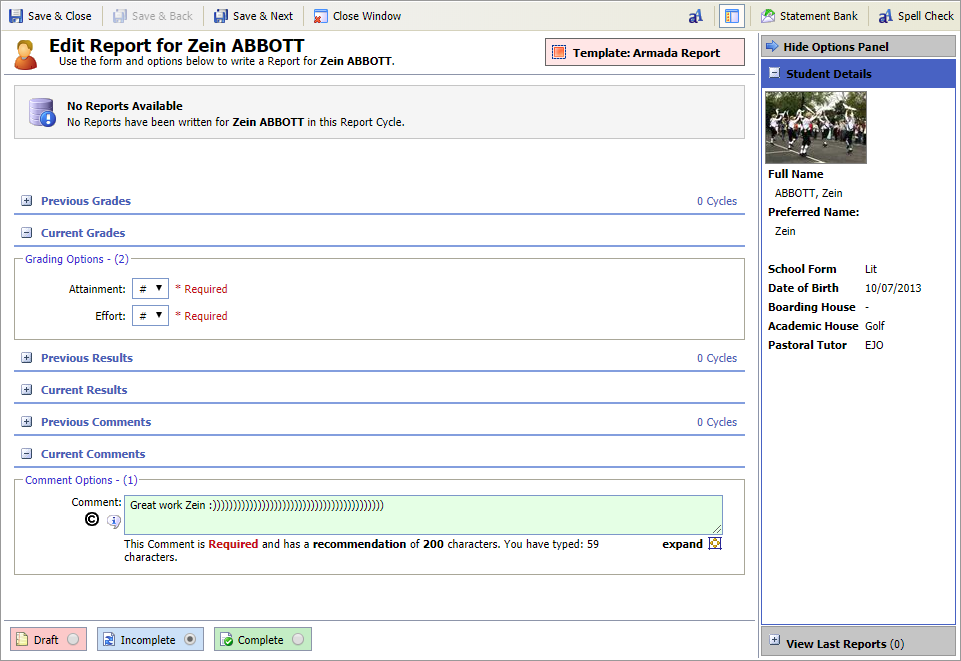
- Click
 Statement Bank in the top right of the Report Writer window to display the Statement Bank window: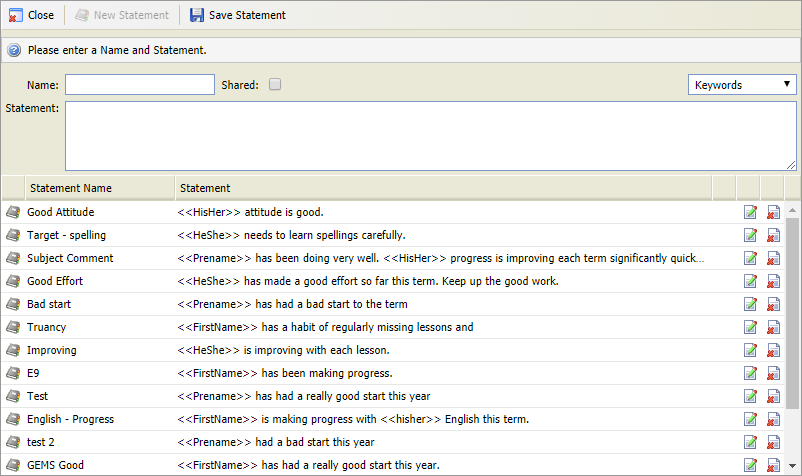
Choose to:

- Enter a clear and concise Name for the statement. This is displayed when you select a statement to use in a report:
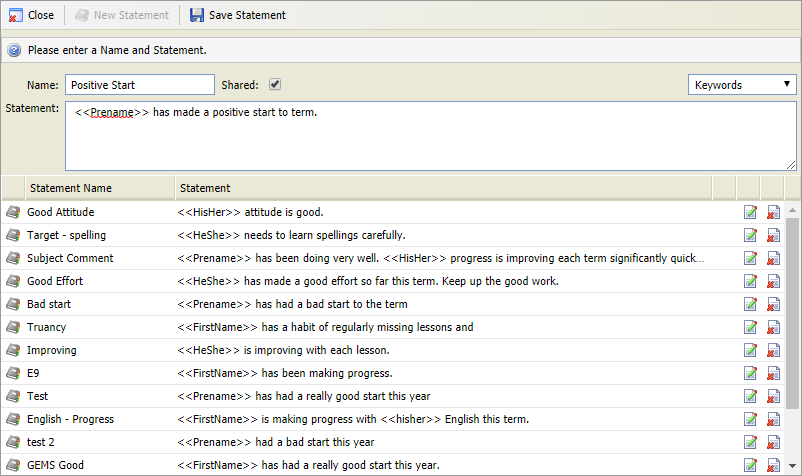
- Check the Shared box to share the statement with other users. Leave this box unchecked and the statement can only be used by you.
- Enter the statement in the free text box.
- Use the Keywords drop down list to add personalised variables, such as student name to the statement if required.
- Click
 Save Statement.
The new statement is listed. - Click Close.
The statement can now be selected when writing reports.
- Click
 in your selected statement.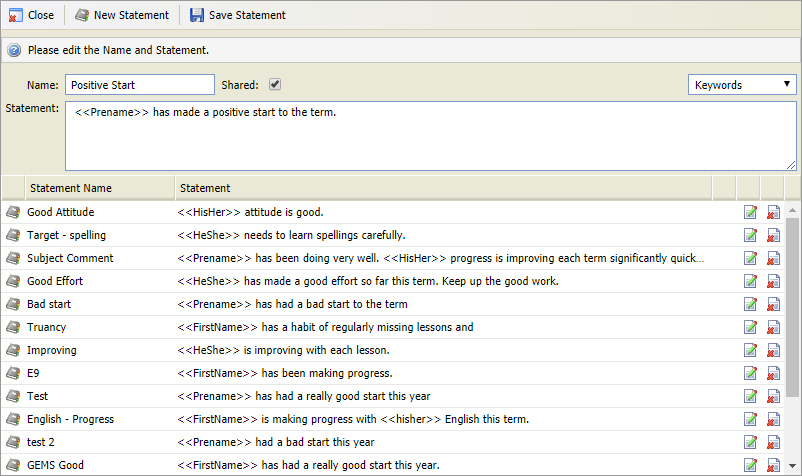
The Name and Statement fields are filled with your selected statement. - Edit the Name and Statement as required.
- Use the Keywords drop down list to add personalised variables, such as student name to the statement if required.
- Click Save Statement.
- Click
 in your selected statement.
 - Click OK in the dialog popup to confirm your selection.
The statement is removed from the Reports module and can no longer be used. Any previous uses of the statement are retained in individual reports. - Click Close to return to the Report Writer window.
- Enter a clear and concise Name for the statement. This is displayed when you select a statement to use in a report: