
Use the Cycle Manager tab in the Reports Manager module to activate a report cycle and start using it for report writing. Do this once Report Types and Report Templates have been allocated to the report cycle.
You must deactivate a report cycle before editing it.
To change the activation status of a report cycle, follow the steps below:
- In the Reports Manager module, select the Cycle Manager tab.
- Click Edit in your selected report cycle.
The Cycle Information window is displayed: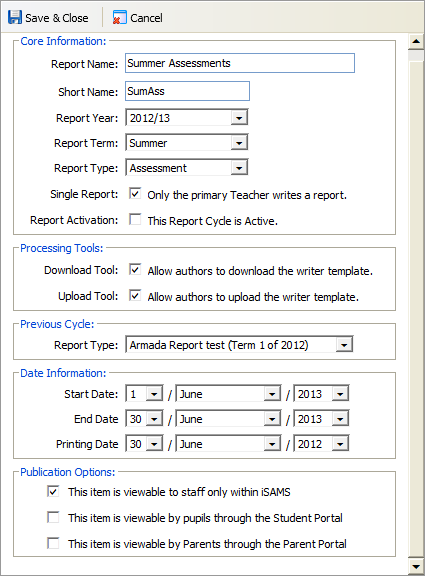
- Either:
- Check the Report Activation box to activate the report cycle.
or - Uncheck the Report Activation box to deactivate the report cycle.
- Check the Report Activation box to activate the report cycle.
- Click Save & Close.
- The report cycle is highlighted red ('Assessment') or grey ('Report') to identify it as active.
- The report cycle can now be used for report writing.