
Use the Configuration tab in the Pastoral Manager module to control access to selected functions in the module. Set access by selected user and user security profiles.
For example, only allow the ability to create and delete concerns to the pastoral team. Your selections influence the functions available when working with pastoral concern records.
- Open the Pastoral Manager module and select the Configuration tab:
- Select User Permissions from the right hand menu. The Manage Module Security screen is displayed:
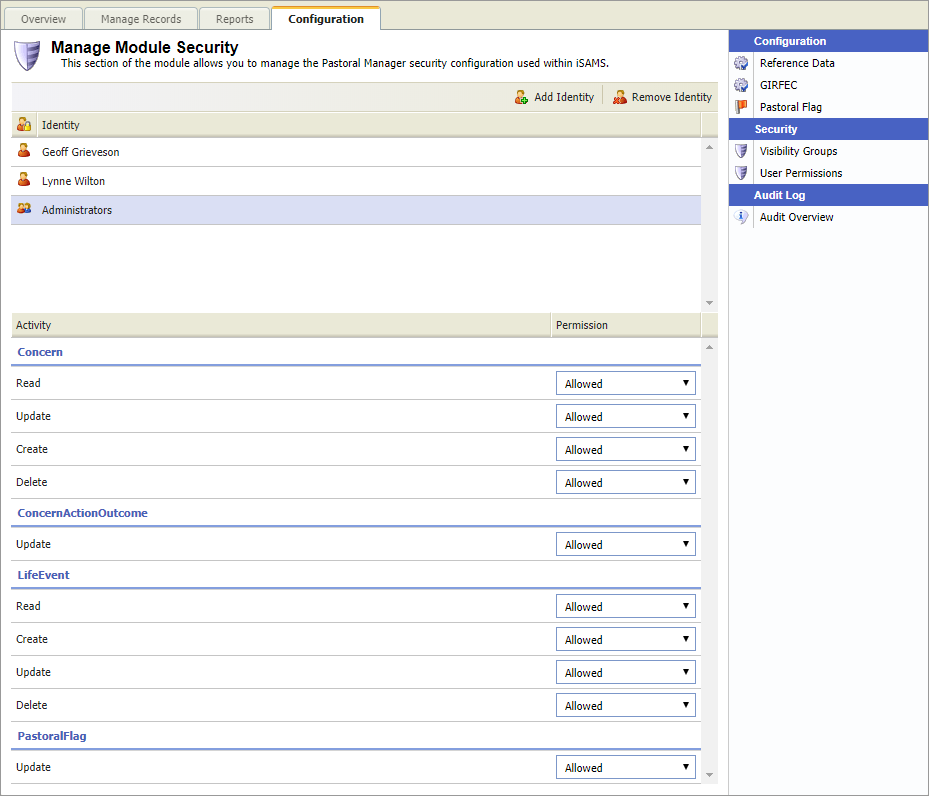
All existing user and usergroups with module permissions are listed at the top of the window. Choose to:

- Click Add Identity in the top right. A selection panel is displayed at the top of the screen:
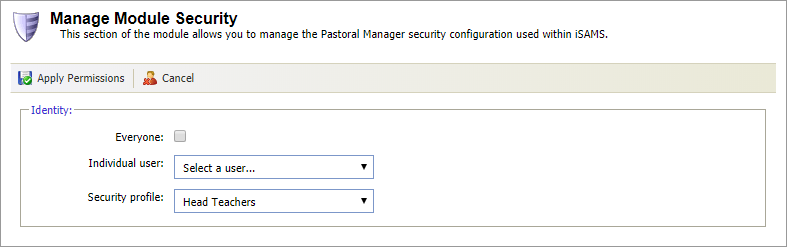
- Select either:
- Everyone. This selects all current iSAMS users.
- A selected user.
or - A selected security group. Security groups are configured in the Permissions & Security Profiles applet and allocated in the User Accounts applet. These are both found in the Control Panel module.
- Scroll through the areas listed under the Activity header and set the access using the Permission drop down list:
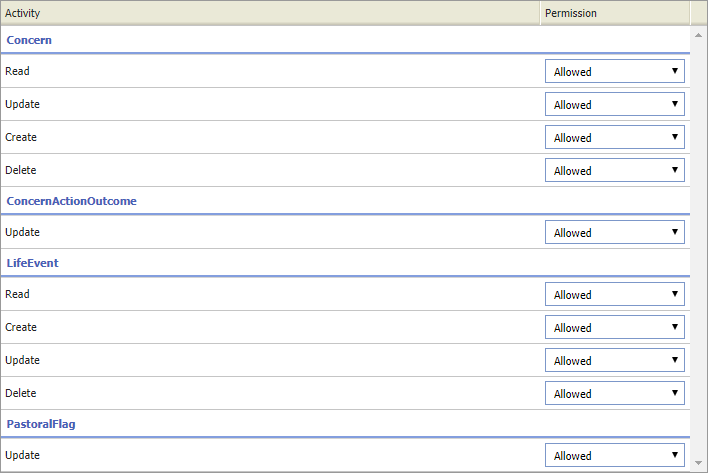
- Allowed.
- Denied.
- Module. This is the default level of access, currently set as allowing all access to all users.
- Click Apply Permissions in the top left of the screen to confirm your selections.
Permissions are listed in the Manage Module Security screen and your selections are reflected in pastoral records: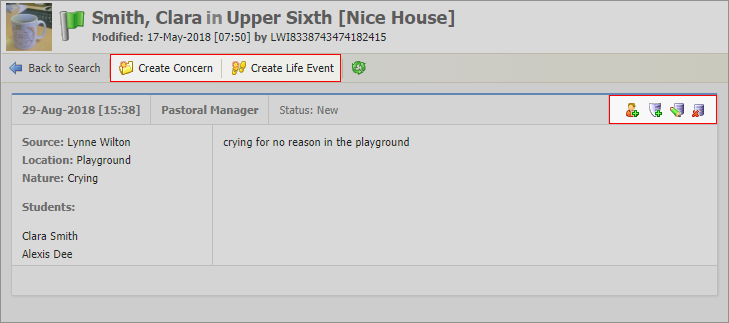
You can choose to edit any existing user permissions that need updating.
- Click on a user or usergroup listed at the top of the screen.
Current permissions are displayed at bottom of the screen. - Scroll through the areas listed under the Activity header and set the access using the Permission drop down list:
- Allowed.
- Denied.
- Module. This is the default level of access, currently set as allowing all access to all users.
- Click Add Identity in the top right. A selection panel is displayed at the top of the screen: