
Use subgroups when working with events in child activity modules. Subgroups are useful if the event is a tournament and multiple sports matches are taking place. Choose from the same groups of pupils for each match in the tournament.
For example, create an event for a football tournament and add subgroups for the each of the teams playing ('U12s', 'U13s', etc). Then assign groups of pupils to each subgroup within the event.
- Sections must be created in the Configuration tab for subgroups to work as expected.
- Subgroups can only be added to events set up to use subgroups.
To add a subgroup to an event:
- Select a child activity module from the module bar:
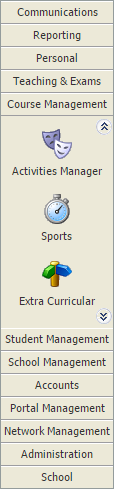
- Select the Activity Overview tab and select an Event Overview option from the right hand menu:

The Activity Events Today/Tomorrow/This Week/Next Week/This Month screen is displayed depending on your selection. All of these options work in the same way. - Use the filters in the header bar to display the dates that you want to work with:

Select either:- Day View.
- Week View.
or - Use the date picker on the right to select a specific date.
 = subgroup.
 = single group.
- Click
 in your selected subgroup event. The Edit Event window is displayed showing all the current subgroups listed for the event: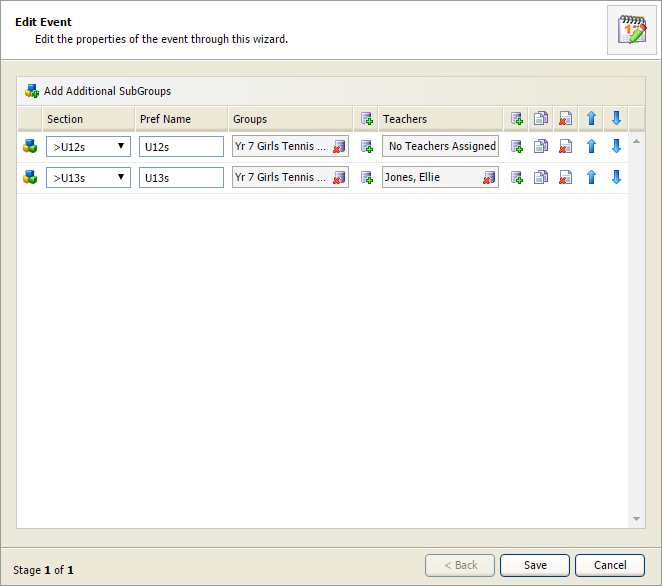
- Click Add Additional SubGroups. A new line is displayed.
- Select a Section for the subgroup. The Preferred Name for the subgroup defaults to the section name. Over type this if required:
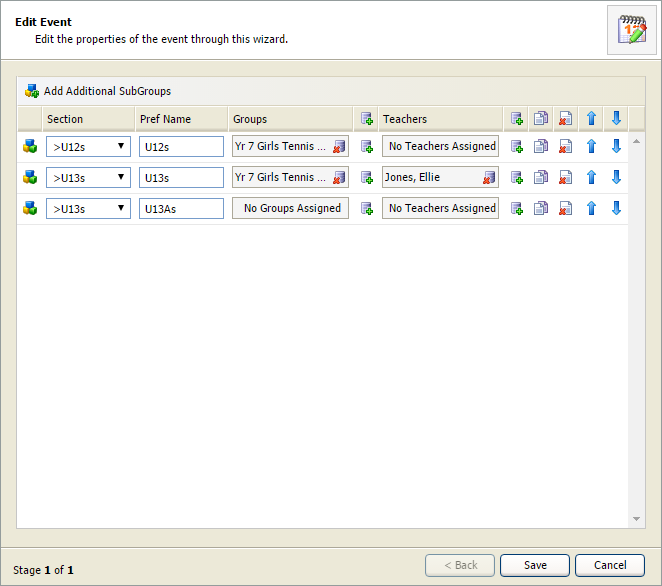
- Click
 next to the Groups field. The Add Attributes window is displayed: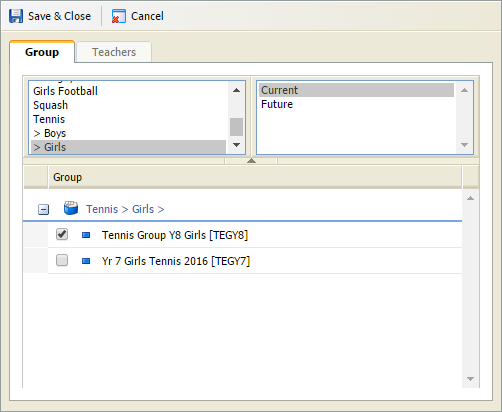
- Select the Group tab and check the groups that you want to assign to the subgroup. Use the filters to refine the groups displayed if you need to.
- Select the Teachers tab and check the teachers that you want to assign to the subgroup. Only teachers linked to the selected groups are listed. Check the Display All Teachers box to list all teachers.
- Click Save & Close to close the Add Attributes window.
- Click Save in the Edit Event window. The new subgroup is listed in the Activity Events:

- Now add pupils to the subgroup.