
Export applicant feeder school details into an Excel spreadsheet. Use your exports for mail merges or feeder school reports.
To export feeder school details, follow the steps below:
- Open the Marketing tab in the Admissions module and select the Manage Schools option from the right hand menu.
- Use the search tools to list the feeder school details that you want to export.
- Select the feeder schools that you want to work with using the checkboxes to the left of the list displayed:

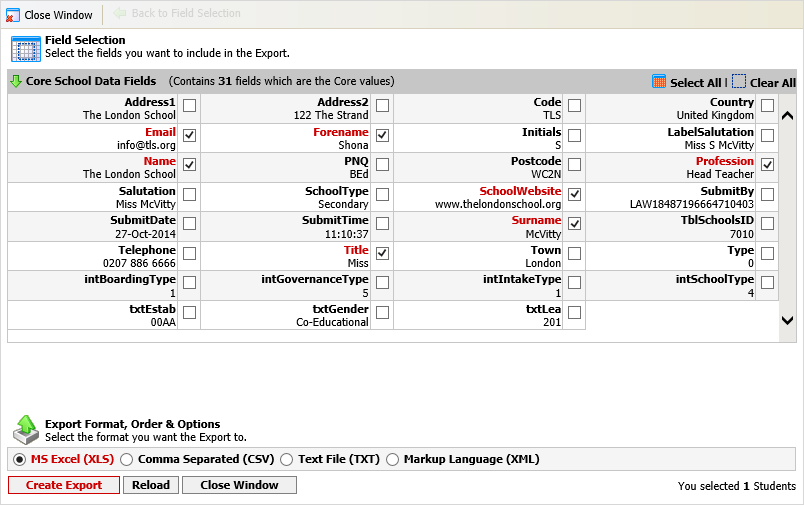
- Open the pink drop down list in the top right of the screen and select Export School Records. A popup window is displayed:
- Either:
- Use the checkboxes displayed in Field Selection to select the data that you want to include in your export.
or - Click Select All if you want to include all the feeder school details in your export.
- Use the checkboxes displayed in Field Selection to select the data that you want to include in your export.
- Select the Export Format that you want to use for your file.
- Click Create Export.
You are prompted once the file has been generated and is ready to download. The number of records included in the export is shown. - Either:
- Click on the link displayed to download the file. Open or save the file as required.
or - Click Return to Previous Selection and Options Page to amend your selections.
- Click on the link displayed to download the file. Open or save the file as required.
- Click Close Window to close the popup window once you have finished exporting files.