
Once currency has been configured in iSAMS you can create a registration deposit fee value in the Admissions module. This is the fee parents must pay once they have completed the application form in the Admissions Portal.
Application forms are setup as either an 'Enquiry' or 'Registration' type. Registration application forms required a deposit. See Create an Application Form for more details.
To create a deposit fee, follow the steps below:
- In the Admissions module, select the Configuration tab.
- Select Admissions Deposit Options from the menu to the right of the screen.
The Applicant Deposit Options screen is displayed:
- Click Add Deposit Type.
A popup window is displayed: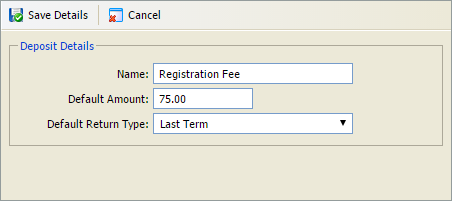
- Specify a Name and Default Amount for the deposit type you wish to add.
- Select a Default Return Type for the deposit. This determines if and when the deposit should be returned to parents. This can be overridden for individual applicants by your registrar if necessary.
- Click Save Details when finished.
The deposit is listed in the Applicant Deposit Options screen. - Once the deposit fee has been created you can create an application form in the Admissions module.