
Use the Configuration tab in your selected child activity module to delete the activity from iSAMS. This is useful for removing any child activity modules have been added in error or have been used for demonstration purposes.
- Use this function with caution. Deleted activities cannot be reinstated. You may prefer to change the Activity Type to 'Past' instead.
- 'Past' activities are those which are not currently used but can be reinstated to 'Current' if required.
Child activity modules can also be deleted from the parent Activities Manager module. See Managing Activities for more details.
To delete an activity:
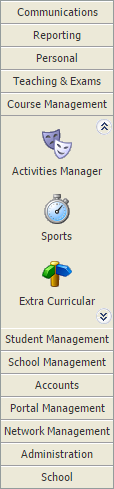
- Select the child activity module that you want to work with from the module bar:
- Select the Configuration tab:

- Select Delete Activity Type from the right hand menu.
You are prompted Are you sure you want to delete this activity? - Select OK.
The activity is removed.