
Use the Re-Allocate Timetable function in the Timetable Manager module to transfer a teacher's timetable to another teacher. This is useful when you have a temporary teacher covering a maternity contract. Move the timetable to the covering teacher in one quick step.
To re-allocate a timetable, follow the steps below:
- Open the Timetable Manager module and select the timetable tab that you want to work with:

- Select Useful Timetable Tools from the right hand menu and select the Re-Allocate Timetable tab:
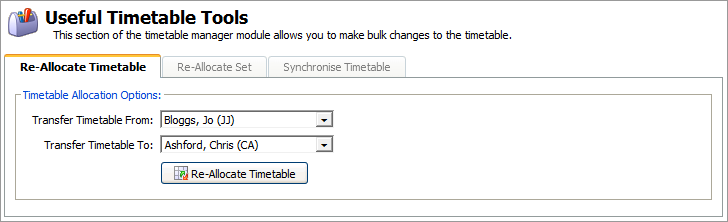
- Transfer Timetable From. Select a teacher from the drop down list. This is the teacher whose timetable is being transferred.
- Transfer Timetable To. Select a teacher from the drop down list. This is the teacher who is taking over the timetable.
All teachers are listed here, ensure that the teacher you select is set as a member of teaching staff in the Human Resources Manager module. Greyed out names already have an active timetable and should be used with caution as clashes may occur if they are selected. - Click Re-Allocate Timetable.
The message 'Timetable re-allocated successfully' is displayed once the procedure is complete.