
The Timetable Logging options in the Timetable Manager module list amendments made to the content of your timetables. Amendments include all additions, amendments and deleted items.
To view Timetable Logging options:
- Open the Timetable Manager module and select the Logging tab
Select an audit listed under the Timetable Logging category from the right hand menu:
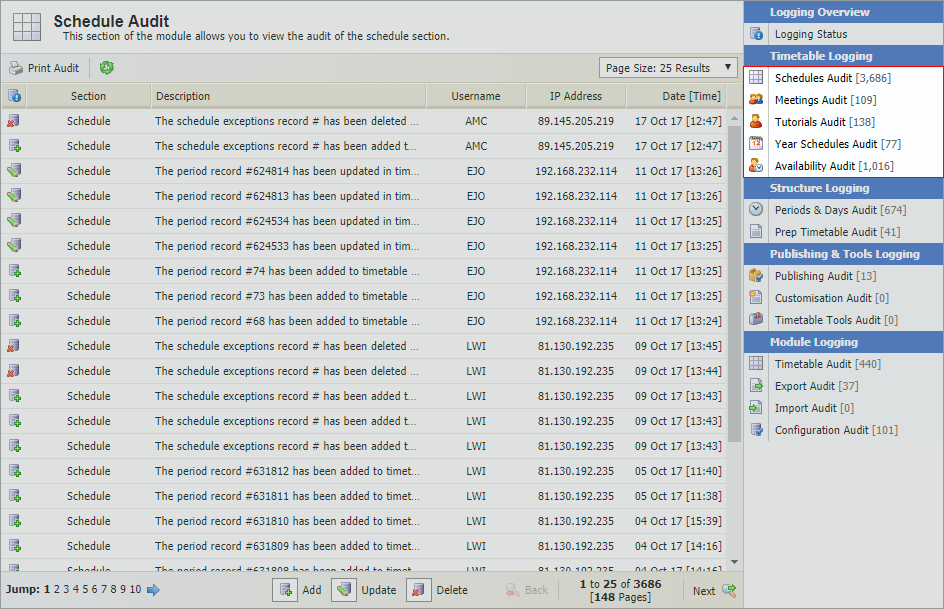
A number of audits are available for you to view:Timetable Logging
Use to view and print an audit of changes made to...

Lessons. For example, any changes to lessons are shown as an update action to period records. This includes, for example, a room change for a lesson.

Staff meetings. For example, a change to the attendees of a meeting would list as an update action.

Tutorials. For example, a newly added tutorial is logged here as an add action.

Year schedules. For example, a deleted year schedule option is logged here as a delete action.

The availability schedule. For example, changing the status of a teacher's availability from unavailable to free is logged here as an update action.
Some basic details of each amendment are provided along with which timetable it has been made in.
- Click
 in the header to ensure that the information listed is up to date.
 Use the drop down list in the top right hand of your selected audit to control the number of results displayed.
- Use the navigation tools at the bottom of the list to move through the information shown.
- Click Print Audit in the header bar to print the page displayed.
- Click on a username to view contact details and email the user directly from this page, if required.