
Use the SMS Message Defaults option to set batch defaults for SMS messages. This saves time when sending messages from the SMS Gateway applet. Messages sent from the wizard bar and other iSAMS modules are automatically given these defaults as no option to change them is available when sending messages in this way.
All SMS messages are sent in batches from iSAMS to your outbound provider ready for delivery to recipients. Sending in batches saves time when multiple recipients are being sent the same message, for example a school closure message going out to the whole school. Use the SMS Gateway Batches screen to review the batches of SMS messages that have been sent from iSAMS.
To set SMS Message Defaults:
- Select the iSAMS Control Panel from the left hand menu.
- Select the SMS Gateway listed within the applets available.
- Select SMS Message Defaults to display this screen:
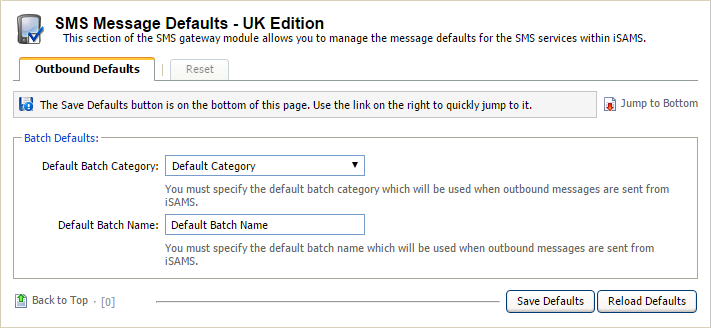
- Select the defaults for Batch Category and Batch Name.
- Click Save Defaults.
Default Batch Category can also be set in the Manage Batch Categories option.