
Use the Invoice Generation tab in the Fees Billing module to print hard copies of pupil invoices to be sent to billing contacts.
- After generating the invoice run, choose to either download and print:
- A single PDF file containing all of the individual invoices. This is useful if you want to print and post invoices to billing contacts. Click
 in your selected invoice run.
or - A zip file containing each invoice as a separate PDF. Click
 in your selected invoice run.
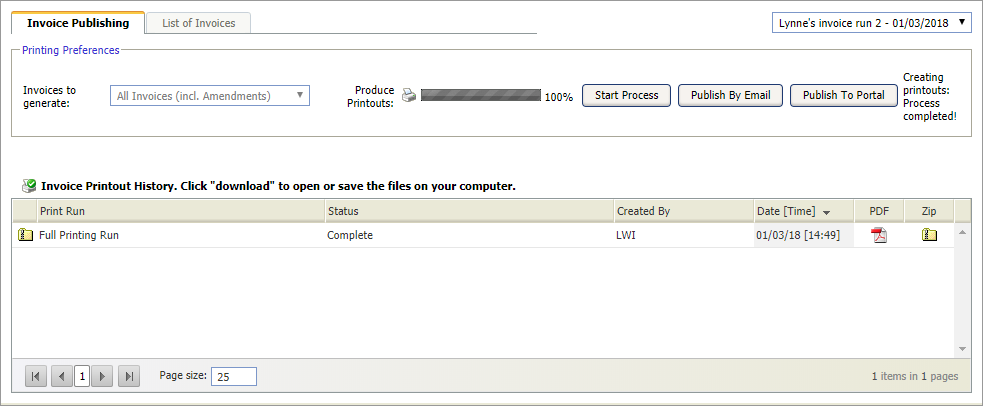
- A single PDF file containing all of the individual invoices. This is useful if you want to print and post invoices to billing contacts. Click
- Select the List of Invoices tab to view all of the invoices generated in the invoice run:

- Use the filters on this tab to search for a specific invoice:
- Enter a search term in your selected field.
- Click
 and select how the filter should be applied to the list of invoices.
- Click if you need to download and print an invoice.
