
Use the School Register tab in the Registration module to view registration notes. Registration notes are messages for one or more students in a registration, such as reminding students of a sports squad session. Registration notes are compiled in the Notes tab.
To view registration notes:
- Either:
- Open the Registration module and click the School Register tab.
or - Open the School Registrations wizard heading in the wizard bar on the right of your desktop and select the Take a Registration wizard. This is available to all iSAMS users including those with no access to the Registration module.
- Open the Registration module and click the School Register tab.
Use the fields displayed to select the registration period you want to work with:

You may not see this screen if you have limited access to the Registration module. You will open in the registration period available for you to use.
Click Go to displayed your selected register:

- Click the registration notes bar:

The Registration Notes window is displayed: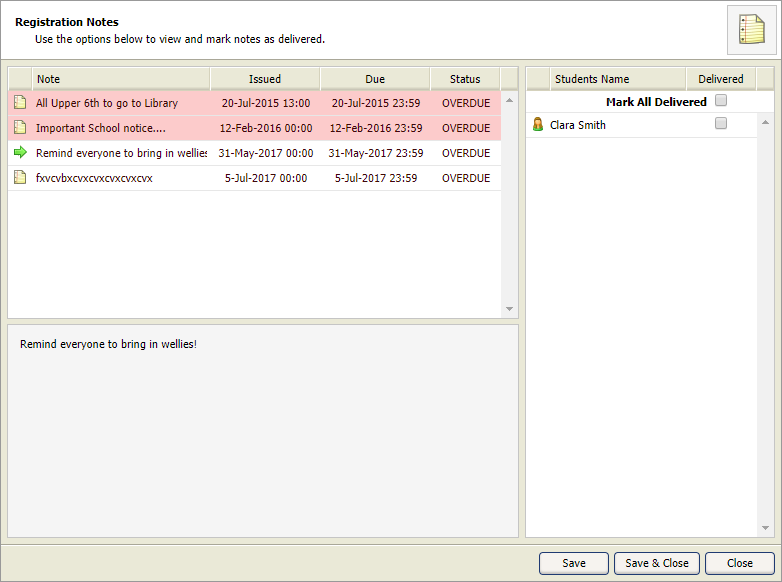
A list of registration notes to be delivered is displayed, those highlighted red are overdue. - Click on a registration note to see the list of students the note is addressed to.
- Either:
- Select individual students by checking the box next to their name.
or - Click Mark All Delivered to select all the students listed.
- Select individual students by checking the box next to their name.
- Either:
- Click Save & Close.
or - Click Save and select another registration note from the list to deliver.
- Click Save & Close.