A number of E-Mail Options are available in the Teaching Manager module. These are listed in the Configuration tab and are explained further below:
Option | Explanation |
Set up automatic e-mail correspondence from the Teaching Manager module. E-mails are sent out when amendments are made in the Subject View or the Student View tabs. | |
E-Mail Templates | Not in use. |
All e-mails sent from the module are logged, this is a useful audit tool. |
E-Mail Settings in Teaching Manager
Use the E-Mail Settings option in the Configuration tab to set up automatic e-mail correspondence from the Teaching Manager module. E-mails are sent out when amendments are made in the Subject View or the Student View tabs. For example, change the teachers allocated to subjects and e-mail both the new and old subject teachers.
To set up E-Mail Settings, follow the steps below:
- In the Teaching Manager module, select the Configuration tab.
- Select the E-Mail Settings option from the right hand menu:

- Select a tab to work with:
- Subject View. Select the e-mail recipients when amendments are made in the Subject View tab.
- Student View. Select the e-mail recipients when amendments are made in the Student View tab.
- Use the checkboxes to select the e-mail recipients.
- Click Save Settings.
E-Mail Logging in Teaching Manager
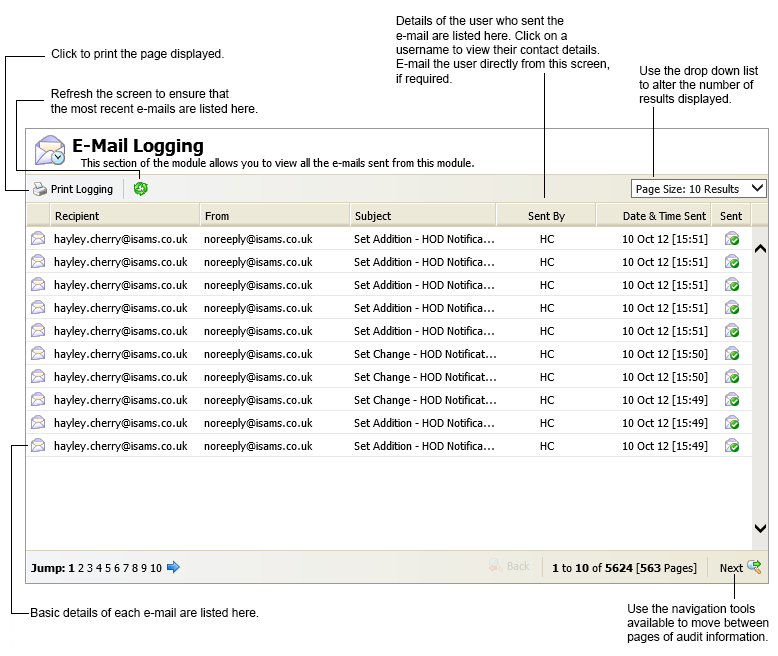
E-mails sent from the Teaching Manager module are logged in E-Mail Logging. Use E-Mail Logging to see basic details of the e-mails sent, such as the recipient, sender and subject of the e-mail. This is a useful audit tool.
- In the Teaching Manager module, select the Configuration tab.
- Select the E-Mail Logging option from the right hand menu: