
Use the Outbound SMS Configuration option to set up outbound message functionality in the SMS Gateway applet.
To open Outbound SMS Configuration:
- Select the iSAMS Control Panel from the left hand menu.
- Select the SMS Gateway listed within the applets available.
- Select Outbound SMS Configuration from the right hand menu to display this screen:
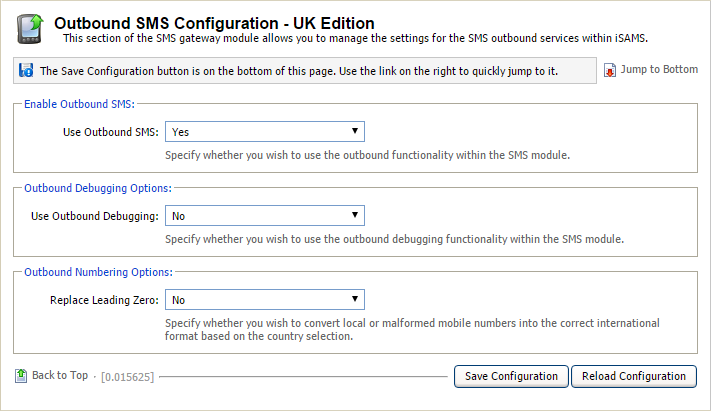
- Use the drop downs to configure the outbound SMS function for use:
- Use Outbound SMS. Select 'Yes'.
- Use Outbound Debugging. Only change this field if instructed by iSAMS Support.
- Replace Leading Zero. Select 'Yes' to automatically convert mobile numbers for international format.
- Click Save Configuration.