
All iSAMS users are linked to an SMS security group. Each group controls how user messages are sent from iSAMS.
All security groups are listed in SMS Group Management:
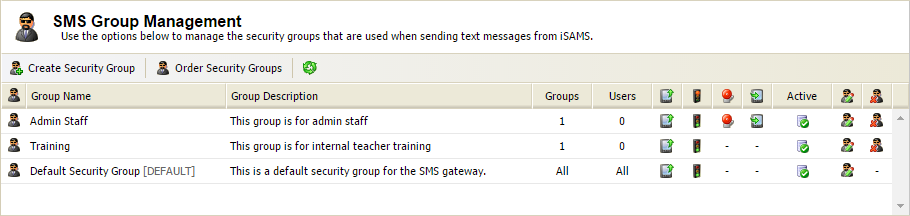
A 'Default Security Group' is created by iSAMS Support. This group includes all users and is always shown at the bottom of the list, it cannot be moved.
The order that SMS security groups are listed can effect the SMS message function for iSAMS users if they are linked to more than one group. The SMS security groups work in a top down method. Users linked to more than one group have their security privileges assigned from the SMS security group that they are linked to which is displayed highest in the list.
For example, configure the 'Default Security Group' so that all messages require authorisation and configure the 'Admin Staff' group so that messages sent by anyone from this group do not require authorisation. List the 'Admin Staff' group at the top of the list and any privileges set for the group override the privileges held for the same group of users linked to the 'Default Security Group'.
To change the order of SMS security groups:
- Select the iSAMS Control Panel from the left hand menu.
- Select the SMS Gateway listed within the applets available.
- Select SMS Group Management from the right hand menu to display this screen:
- Click Order Security Groups. The Arrange Security Groups window is displayed:
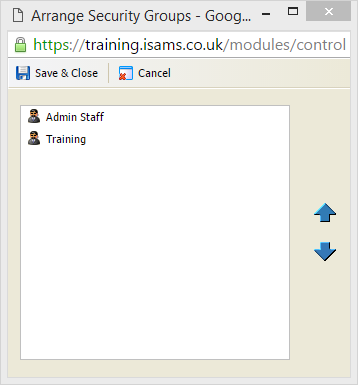
- Select a security group from the list displayed. Use the arrows available to move it up or down the list, as required.
- Click Save & Close when finished.
Your security groups are displayed in the revised order and privileges are applied to users accordingly.