
Use the School Setup tab in the School Manager module to activate the Forms tab ready for use in the module. You must activate the Forms tab to display and configure form group information in the School Manager module. You can also choose to share forms across school year groups and change the terminology used to describe form groups in iSAMS.
- In the School Manager module, select the School Setup tab.
The School Setup screen is displayed. - Select the Forms tab:
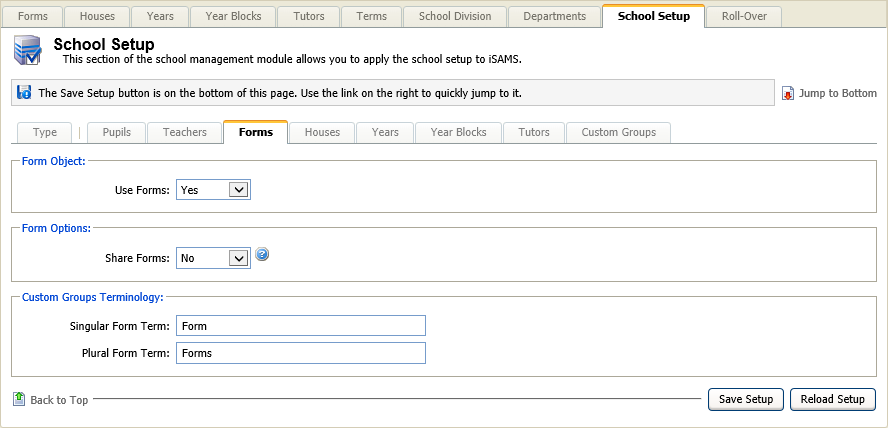
Complete the fields displayed:
SectionFieldsForm Object Use Forms. Select 'Yes' from the drop down list to activate the Forms tab.
Form Options Share Forms. Select 'Yes' if you wish to share all forms across all year groups. Custom Groups Terminology Singular Form Term.
Plural Form Term.
Enter the singular and plural terms you wish to represent form groups in iSAMS.
Either:
Click Save Setup when finished.
orClick Reload Setup to revert to previously saved settings.