
Use the Current Status tab in the Pupil Portal Manager module to view a log of pupil users currently accessing the Pupil Portal.
The usernames of pupils currently in the Pupil Portal are listed along with the section they are working in, location and country. Timestamps of each active user's last recorded activity are also listed with the IP address of the device they are accessing the Pupil Portal from. These details are useful for monitoring the activities of pupils currently logged into the portal.
To view details of pupil users currently logged into the Pupil Portal, follow the steps below:
- In the Pupil Portal Manager module, select the Current Status tab.
- Either:
- Select the
 Current Users tab from the header bar.
or - Select Current Users from the right hand menu.
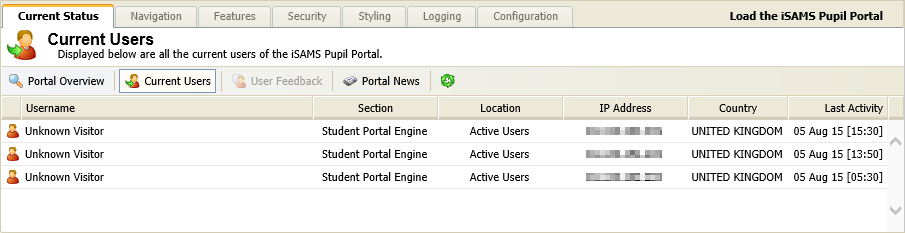
Information for pupils currently logged in to the Pupil Portal is listed. - Select the
- Click
 in the header bar to show up-to-date information.