
Use the timetable wizards to view a selection of timetables, such timetables for groups or individual students, teachers or rooms. These wizards are available to all iSAMS users and can be exported, printed or emailed in your chosen format.
To use the timetable wizards:
- Open the Timetable wizard heading in the wizard bar on the right of your desktop and select a Get Timetable wizard (several are listed):
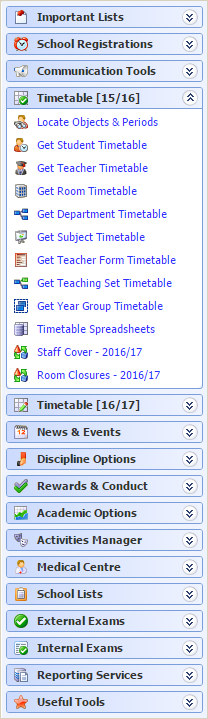
Your selected wizard is displayed.
For this example we have selected Get Subject Timetable. - Select an option from the Selection section:

Use the Format Options checkboxes to select the how you view the timetable:

Format Option Use for... On screen - default option Printed timetables. Click here to see an example. HTML A web-ready version of the timetable. Click here to see an example. Excel Amendments and notes can be added into this version. Click here to see an example. PDF Branded print versions of the timetable. Click here to see an example. iCAL Downloading the timetable into your online calendar. Select a term to download from the drop-down list displayed. Check the Merge multiple lessons box to save space in the timetable.
- Check the E-Mail Output checkbox to e-mail the timetable as an attachment.
- Enter the Recipient Name and E-Mail Address in the fields displayed.
- Click Next Step.
Your timetable is now ready to view, print or download ready to export. - Click Finish to close the wizard window.


