
Use the BaseData History option the External Exams Manager module to see the imports of BaseData that have been made to a selected exam cycle. Imports are listed by exam board and the corresponding data.
Choose to:
- Download the different components of data for an exam board.
or - Delete an import. Only do this for data that has been imported in error and hasn't been used.
To use the BaseData History:
- Open the External Exams Manager module and select the BaseData tab.
- Select BaseData History from the right hand menu to display this screen:
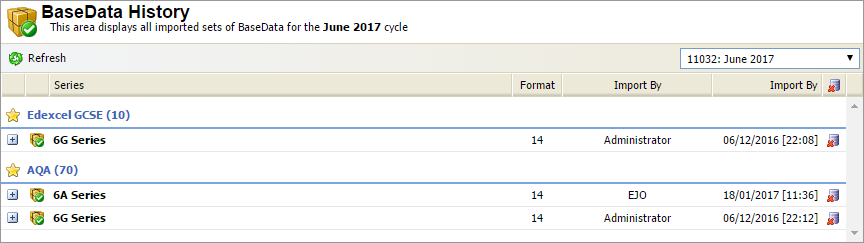
Each exam board included in the BaseData is listed and the series data for the exam board is shown. The JCQ format is also displayed. - Click
 in any series to view the data that has been imported:
- Click
 in a selected component to download the file if needed.
 - Click
 in your selected series to delete it. Only do this for data that has been imported in error and hasn't been used. Do not delete any data that has been used for exam entries.