
To enable the Admissions Portal you must have a REST API key. This allows data to link between the application forms completed in the Admissions Portal and the Admissions module itself.
Request your Admissions Portal REST API key via the iSAMS Control Panel:
- In the iSAMS Control Panel module select the API Services Manager applet.
- Select Manage REST API Keys from the right hand menu. The Manage REST API Keys screen is displayed:
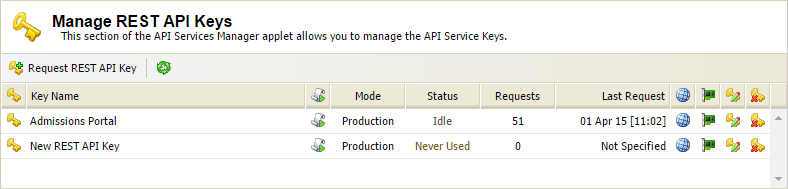
- Click Request REST API Key.
A support ticket is created. A popup window displays the ticket number. - Make a note of the ticket number for future reference.
If you have purchased the Admissions Portal your REST API key is enable by the iSAMS Help Desk. This may take up to 24 hours. - Once the REST API key is enabled you can setup the Admissions Portal for use.