
Choose to edit any subgroups assigned to events in child activity modules. For example, change the teacher assigned to a subgroup.
Subgroups are useful if an event is a tournament and multiple sports matches are taking place. Choose from the same groups of pupils for each match in the tournament.
To edit a subgroup:
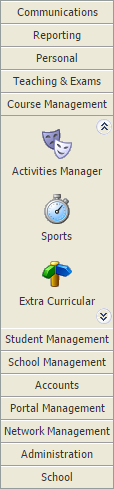
- Select a child activity module from the module bar:
- Select the Activity Overview tab and select an Event Overview option from the right hand menu:
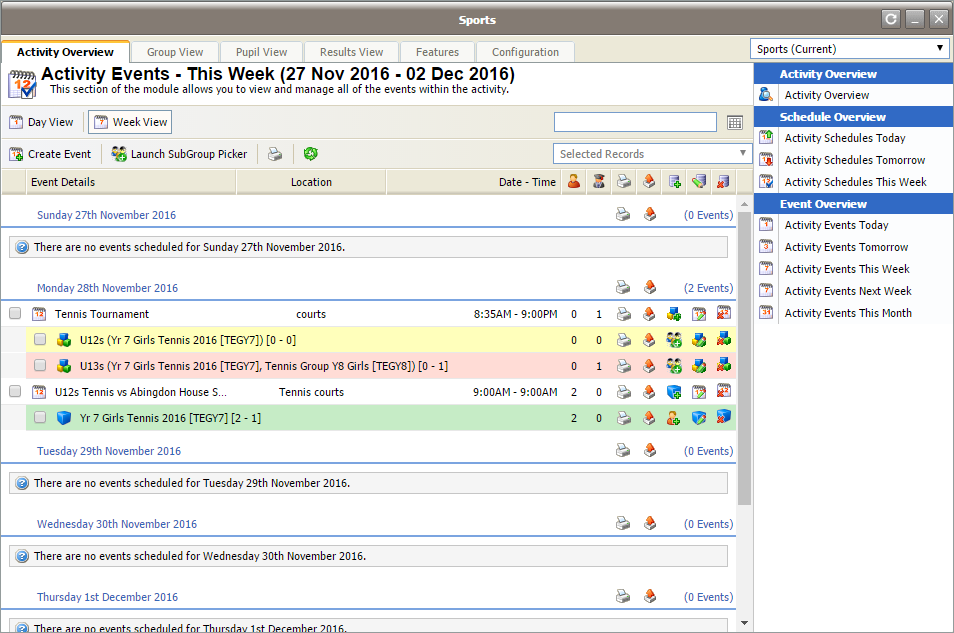
The Activity Events Today/Tomorrow/This Week/Next Week/This Month screen is displayed depending on your selection. All of these options work in the same way. - Use the filters in the header bar to display the dates that you want to work with:

Select either:- Day View.
- Week View.
or - Use the date picker on the right to select a specific date.
 = subgroup.
 = single group.
- Click
 in your selected subgroup event. The Edit Event window is displayed showing all the current subgroups listed for the event: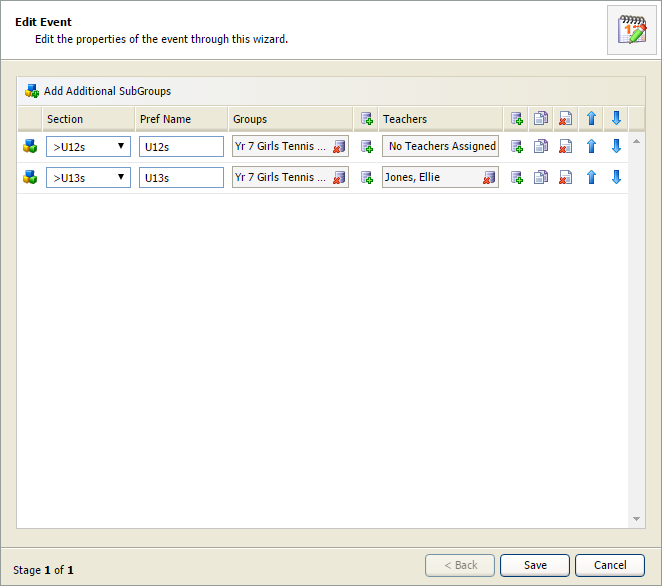

- To remove the group assigned to the subgroup, click
 in the Groups field for your selected subgroup.
 - To assign a new group to a subgroup, click
 next to the Groups field for your selected subgroup. The Add Attributes window is displayed: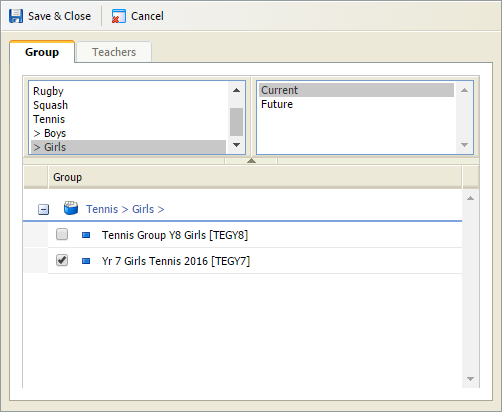
- Select the Group tab and check the groups that you want to assign to the subgroup. Use the filters to refine the groups displayed if you need to.
- Select the Teachers tab and check the teachers that you want to assign to the subgroup. Only teachers linked to the selected groups are listed. Check the Display All Teachers box to list all teachers.
Click
 in your selected subgroup to copy the listing. This is useful if you want to add all the heats of a tournament using the same groups of pupils. Once the copied subgroup is listed you can change the pupils linked to it.
Click
 in your selected subgroup to remove it from the list. This is useful if a subgroup has been added in error.
- To remove the group assigned to the subgroup, click
Click Add Additional SubGroups if you need to add more subgroups to the event.
- Click Save in the Edit Event window.