
Use the Subject View tab in the Teaching Manager module to add and edit students in subject set lists.
Use the Student View tab to remove a student from a set list. This is useful if students have been added in error.
- In the Teaching Manager module, select the Subject View tab:
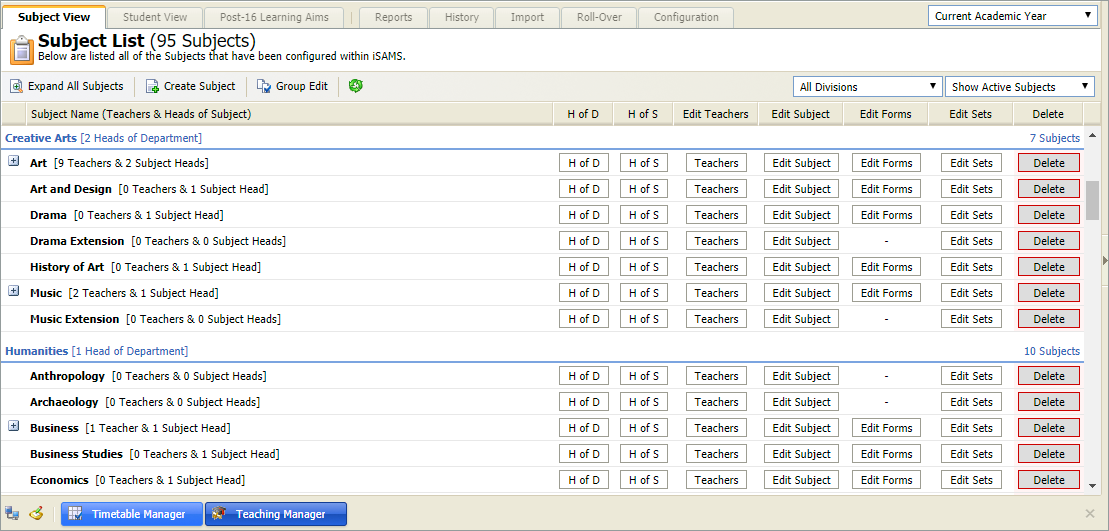
- Use the drop down lists in the top right of the screen to select the:
- Academic year that you want to work with.
- School divisions that you want to work with.
- Status of the subjects that you want to work with.
- Locate the subject that you want to work with and click Edit Sets.
The Set List screen is displayed: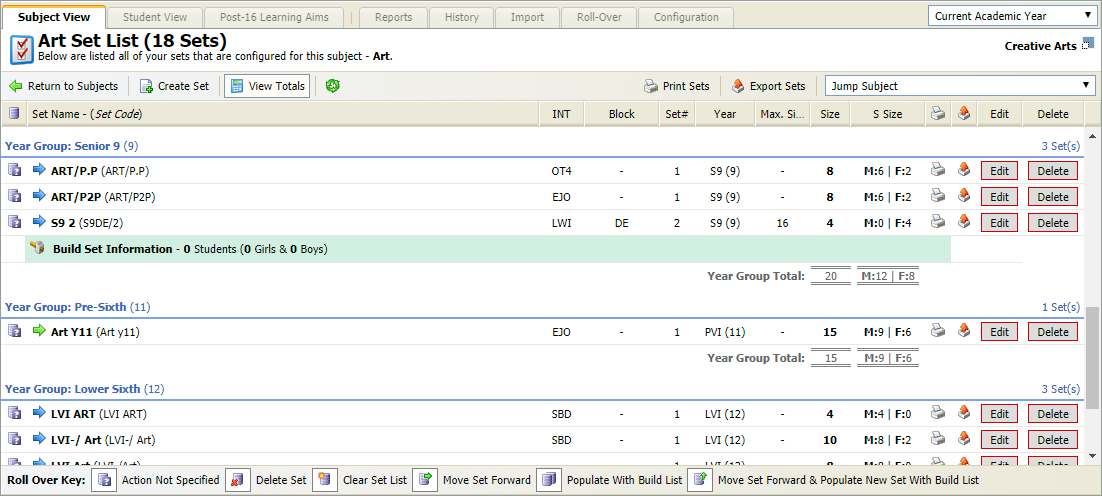
- Click Edit in your selected set to display the Set Info screen:
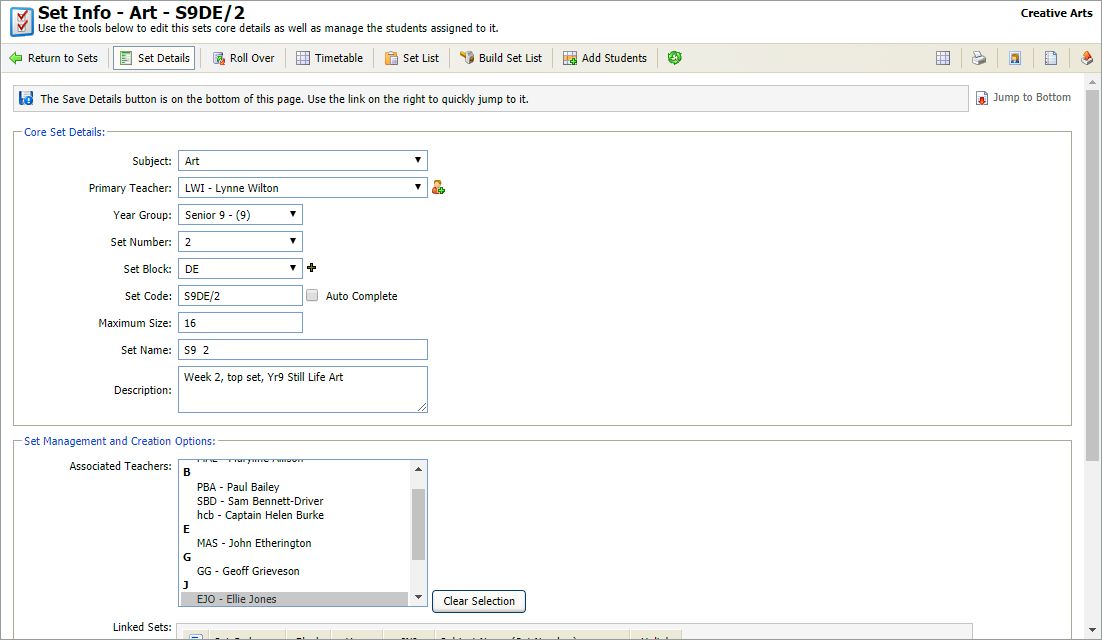
- Click Set List in the header bar to display the students in the set:
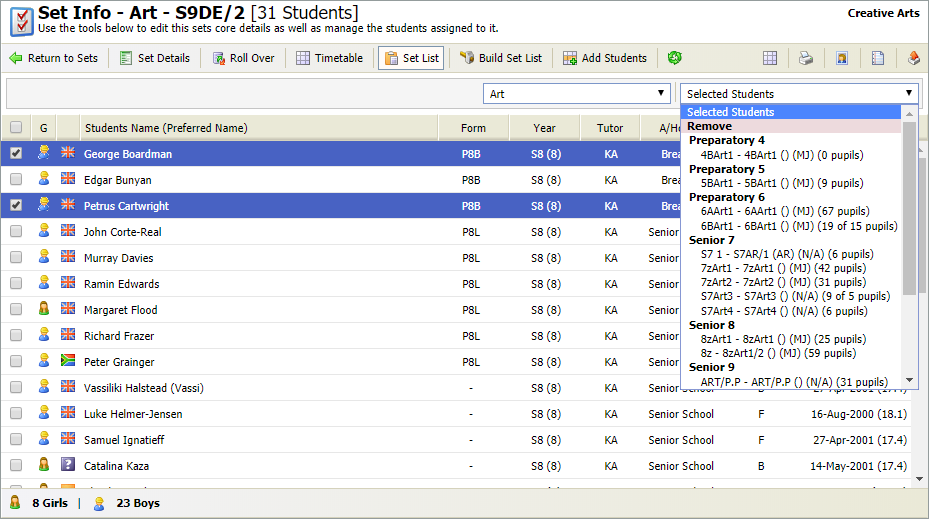
- Choose to:
- Add Students to a Set List. Once you have created a subject set you must add students to the set.
- Move Students to a Different Set List. Move students from one set to another. The new set can either be in the same or an alternative subject. This is useful if students move up a subject set during the academic year.
Add Students to a Set List
- Click
 Add Students in the header bar.
 - Select 'Current Set (Active)' and use the drop down lists available to filter the students displayed:
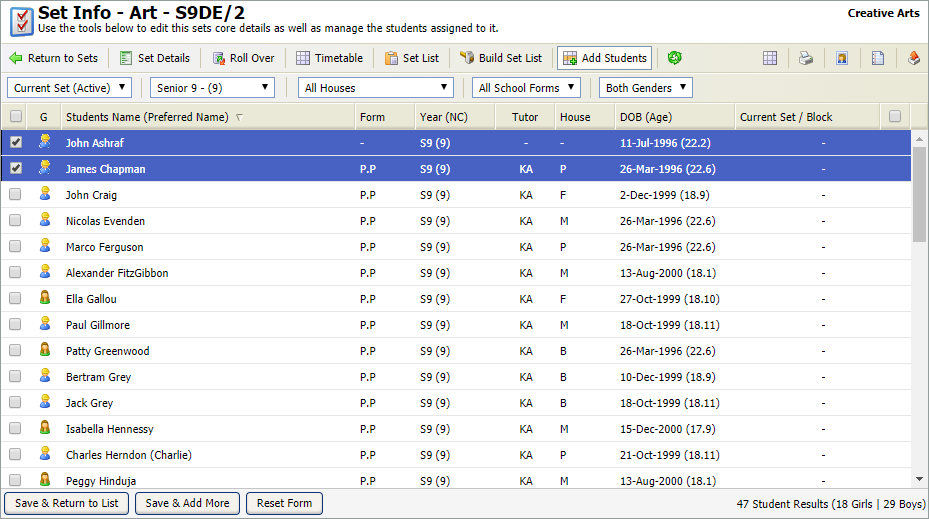
- Use the checkboxes on the left to select students for the set.
- Either:
- Click Save & Return to List.
or - Click Save & Add More. Reset the filters and select more students for the set.
- Click Save & Return to List.
- Select Yes.
The set list is displayed with your selected students.
Move Students to a Different Set List
- Use the checkboxes on the left to select students:
- Either:
- Move the students to a different subject:
- Use the subject drop down list to select another subject.
- Reselect the student.
- Use the Selected Students drop down list to select a set in the new subject.
or
- Move the students to a different set in the same subject. Select the new set from the Selected Students drop down list.
- Move the students to a different subject:
- Select Yes.
The set list is updated.