
Use the options available in the Module Options screen to re-install all or part of the Tracking Manager Module.
| Module Options must be used with caution as using them causes permanent changes to the module. |

An example of the Module Options screen is shown below:
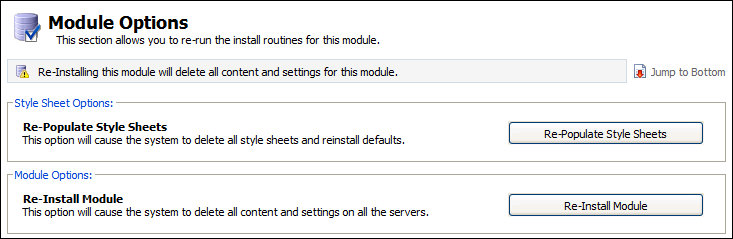
Re-Populate Style Sheets
To re-install the style sheets used in the Tracking Manager Module, follow the steps below:
1. In the Configuration tab, select Module Options from the right hand menu.
The Module Options screen is displayed.
2. Click Re-Populate Style Sheets.
You are prompted Are you sure you want to re-populate the default style sheets?
3. Click Yes.
Any changes you have made to style sheets are deleted and reset to their default settings.
Re-Install Module
To re-install the entire Tracking Manager Module, follow the steps below:
1. In the Configuration tab, select Module Options from the right hand menu.
The Module Options screen is displayed.
2. Click Re-Install Module.
You are prompted Are you sure you want to re-install this module?
3. Select Yes.
All contents in the module are removed and settings re-installed to their default. Once this option is selected you need to setup the module as you would when you use it for the first time.