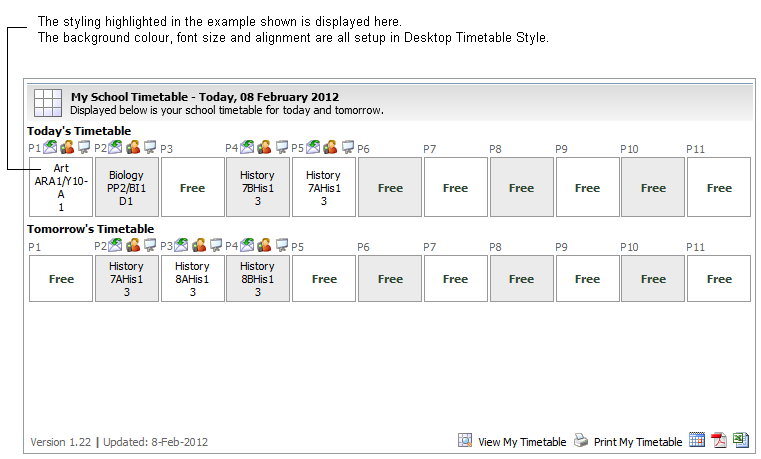
Use the Desktop Timetable Style option in the Timetable Manager module to change the font size and colour, background colours and alignment of text in timetables displayed in your Desktop. This can be used to highlight current periods on wizard timetables.
To change the style of the timetables displayed in the desktop:
- Open the Timetable Manager module and select the Configuration tab.
- Select Desktop Timetable Style:

- Change colours and spacing in the style sheets to suit you. Use hexadecimal colour codes and common formatting terms in the style sheet.
- Click Save Style Sheet to save changes to the style sheet. Use Click Reload Footer to refresh the screen with previous saved settings.
An example of where your selections are displayed in timetables is shown below: