
Use the Configuration tab in the Registration module to set up the display of absent students on Your Desktop. This save time as there is no need to open the Registration module.
- Open the Registration module and select the Configuration tab.
Select Desktop Tab from the right hand menu to display this screen:
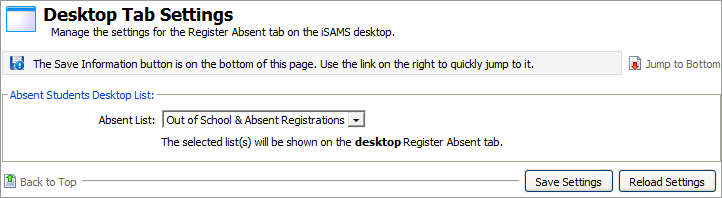
Use the drop down list to select the display settings.
Here is an example of how your selections are shown in Your Desktop: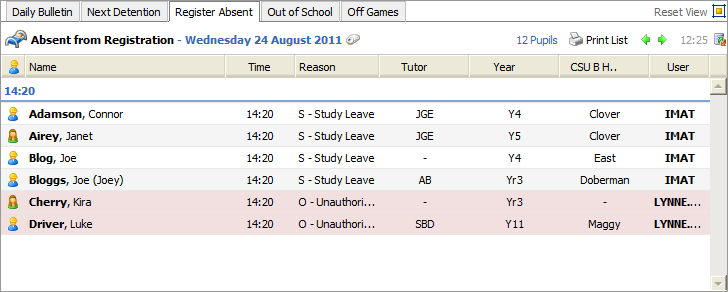
When the details are as required, click Save Settings.
Use the Reload Settings button to cancel any changes you have made to these settings, i.e. reset the values as they were when you first accessed this form. The Reload Settings button only cancels changes if you have not already saved them.